

Planning a trip to Bali? If your nationality is eligible for Indonesia’s Visa on Arrival (VOA), applying online for the e-VOA can save time at the airport and make arrival smoother.
This guide walks you through the official application process, what documents you’ll need, and what to prepare before you land.
What is the Bali e-VOA?
The e-VOA is the online version of Indonesia’s Visa on Arrival for tourists. Instead of paying and queuing at the airport, you can apply and pay online before your trip. Once approved, your visa is linked electronically to your passport.
Key facts about the e-VOA:
- Costs IDR 500,000 (approximately USD $35) per person
- Stay: up to 30 days
Can be extended once for another 30 days (for a total of 60 days) - Passport validity: typically at least 6 months recommended/expected for entry
Should you apply online (e-VOA) or get VOA at the airport?
Before applying, confirm that your country is eligible for the VOA. Citizens from 97 countries can obtain a VOA, including Australia, USA, UK, Canada, and most European countries.
Use e-VOA if:
- You want to skip long airport lines
- You prefer having your visa approved/paid before departure
- You want a smoother arrival experience (often easier to use e-gates where available)
VOA at the airport can be fine if:
- You’re okay with queues
- You had trouble with uploads/payment online
If staying longer than 60 days: e-VOA/VOA usually isn’t the best fit.
Who Can Apply for Bali e-VOA?
Citizens of many countries can apply for Indonesia’s Visa on Arrival. Eligibility can change, so always confirm your nationality on the official Indonesia Immigration website before applying.
If your country is not eligible, you will need to apply for a different Indonesian visa type.
Step-by-step: How to apply for Bali e-VOA online
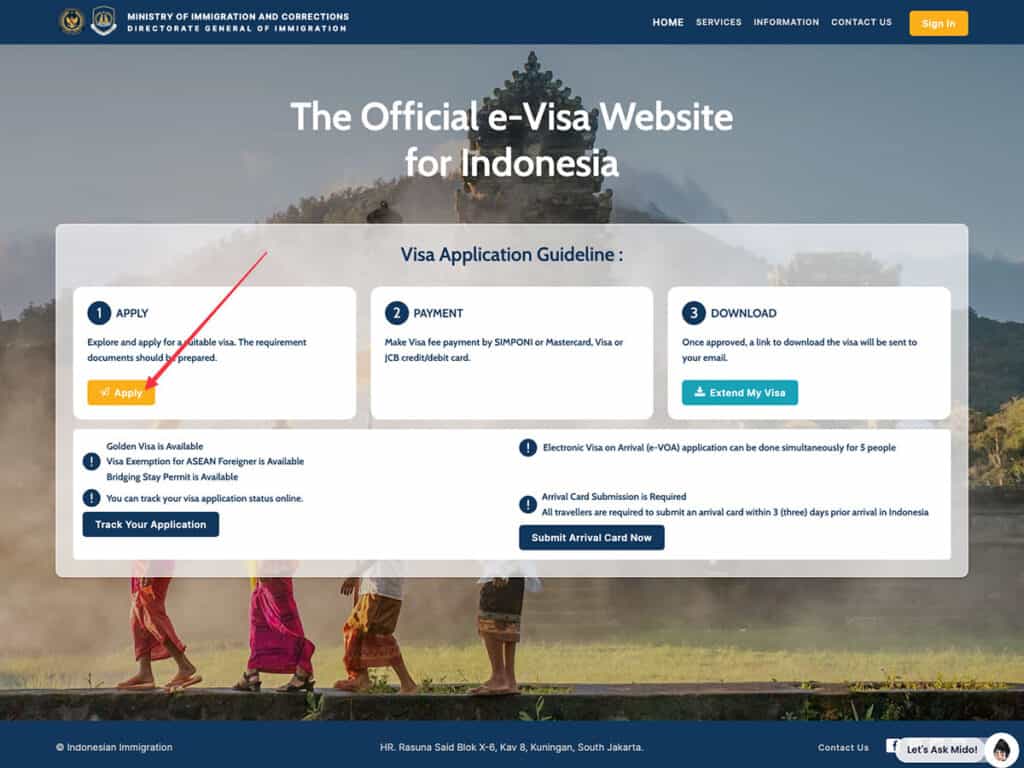
Step 1: Use the official website only
Go to the official Indonesia Immigration e-Visa portal: evisa.imigrasi.go.id.
Step 2: Prepare your documents (before you start)
You’ll typically need:
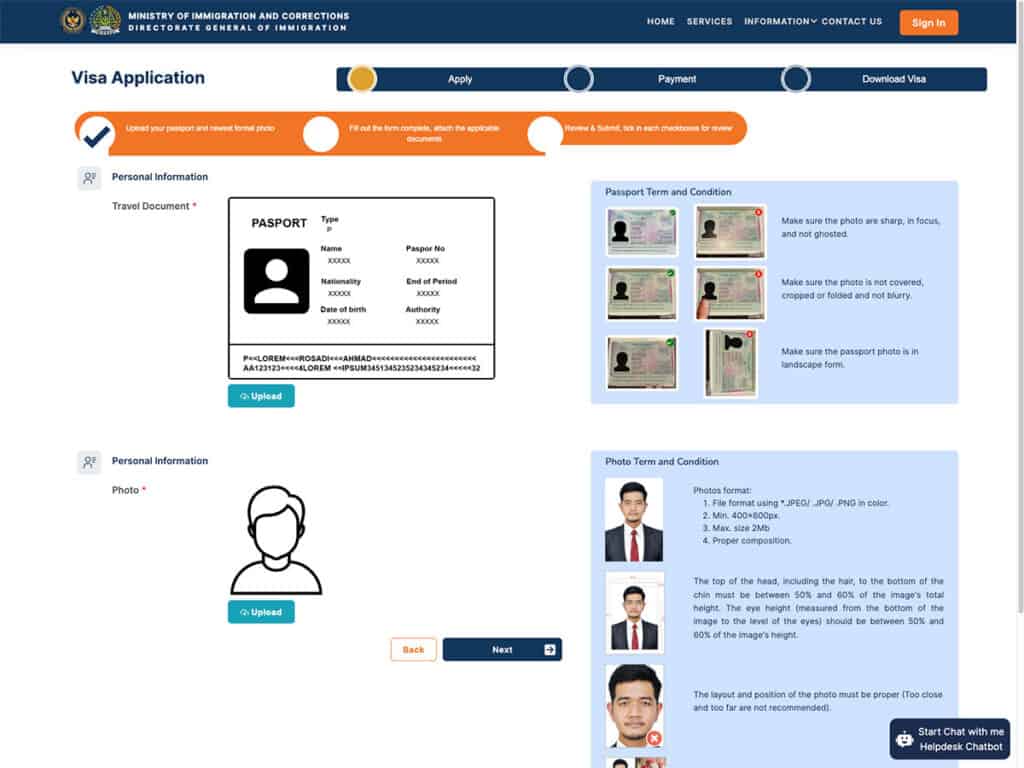
- Passport bio page scan (follow the site’s format requirements)
- Passport photo (white background is commonly required)
- Onward/return ticket (proof of leaving Indonesia)
- Email address (where your approval is sent)
Tip to add: Name/date formats must match your passport exactly (most application errors come from tiny mismatches).
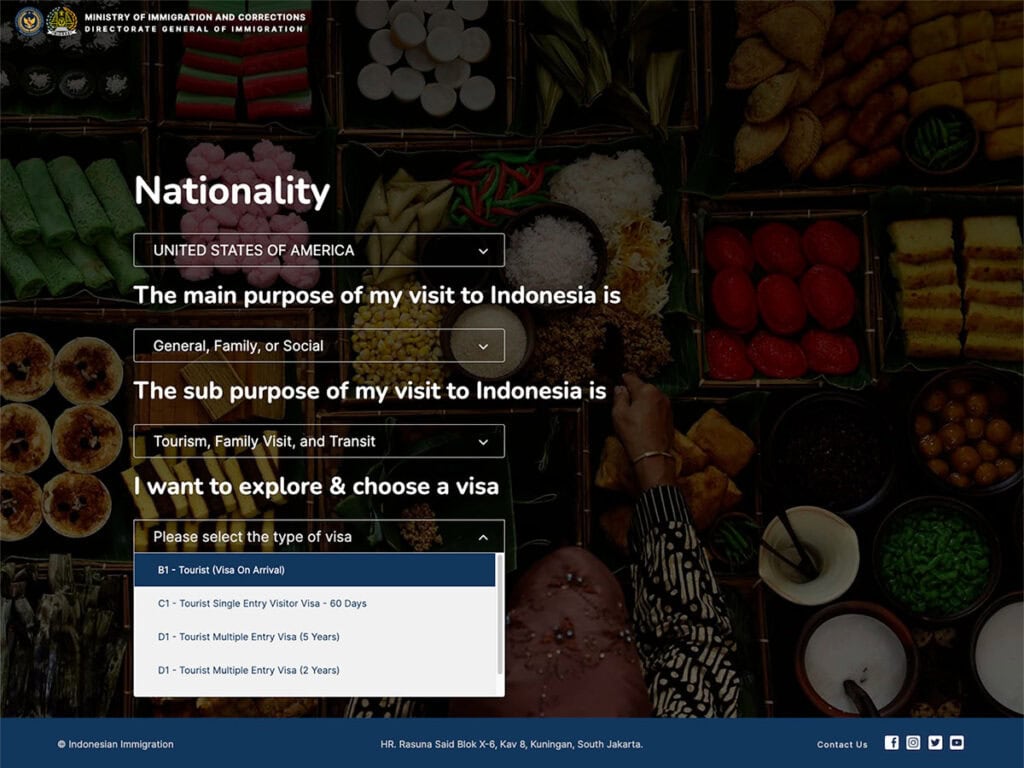
Step 3: Start the application and choose the correct visa type
On the site:
- Click Apply
- Select your nationality
- Choose purpose/sub-purpose that matches tourism
- Select the Visa on Arrival / e-VOA (30 days) option (often shown as B1/VOA on the platform)
Step 4: Upload the documents
The portal may ask for your passport bio page in more than one format (for example, an image upload and a PDF upload in separate fields). Follow the instructions on the official form.
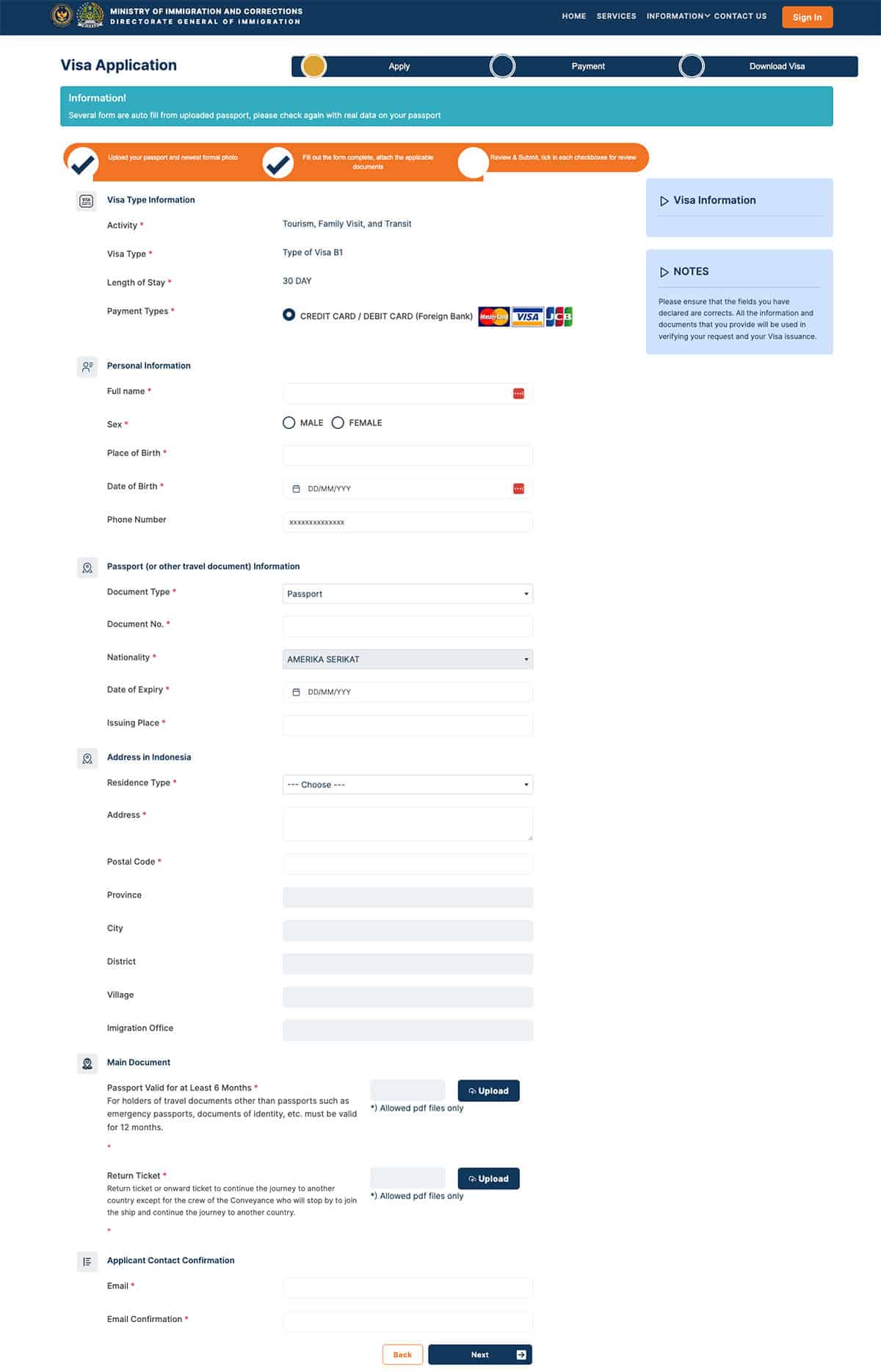
Step 5: Fill in your details carefully
Complete:
- Personal info (as in passport)
- Passport number, issue/expiry dates
- Travel details (if requested)
Quick accuracy tips:
- Don’t add extra spaces
- Use the same spelling order as passport
- Double-check passport number (common mistake)
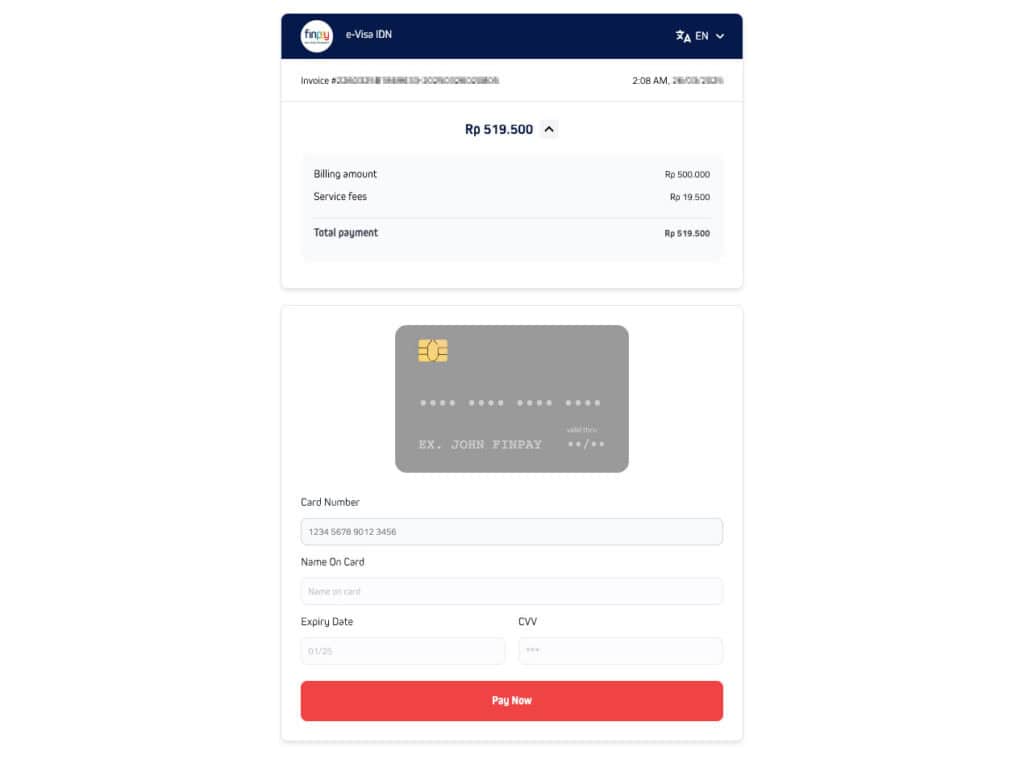
Step 6: Pay the fee and submit
Pay online (cards are typically accepted).
- VOA fee: IDR 500,000
- The final total may include a small payment/processing charge shown before you confirm payment.
Step 7: Download your e-VOA
After payment + approval:
- Download the e-VOA document
- Save a copy on your phone
- Print a backup copy (recommended)
What to do before you arrive in Bali
1. Complete the All Indonesia Arrival Card (Required)
Indonesia Immigration requires all international travelers to submit the All Indonesia Arrival Card no later than 3 days before arrival. This digital form replaces the old paper arrival, customs, and health declaration forms.
Complete the form through the official Indonesia Immigration website:
👉 All Indonesia Arrival Card (Official Site): https://allindonesia.imigrasi.go.id
2. Pay the Bali Tourist Levy (separate from the visa)
Bali has introduced a mandatory Tourist Levy for foreign visitors, set at IDR 150,000 per person. This fee is separate from your visa payment and supports Bali’s cultural preservation and sustainable tourism efforts.
Payment should be made through the official Bali government platform:
👉 Love Bali – Official Tourist Levy Website: https://lovebali.baliprov.go.id
On arrival at Bali airport
At Ngurah Rai International Airport (DPS):
- Have your passport and e-VOA ready (digital is usually fine; paper backup helps)
- Keep proof of onward travel accessible
- If available, follow signs for e-gates / electronic processing (availability can vary)
Common problems and fixes
Payment failed?
Try another card, ensure 3-D Secure is enabled, and retry later (some banks block foreign transactions).
Upload rejected?
Re-export the file, reduce file size, and ensure it’s the exact format requested on the portal.
Didn’t receive the email?
Check your spam/junk folder, then log back in to the portal to download your document.
By following these steps and preparing in advance, you’ll ensure a smooth entry into Bali and can start enjoying your tropical paradise experience without delay!
